★★★★★ 🇺🇸
Finally, no camera anxiety
"Most camera workout apps feel invasive or secretly stream video to cloud servers. MeshyFit does all pose processing locally on iPhone. No login, zero video saved. It is the cleanest workout tool on my phone."
Set down your phone, step back, and train hands-free. MeshyFit counts your reps in real time with on-device pose intelligence, celebrates weekly consistency, and never saves or uploads workout video.
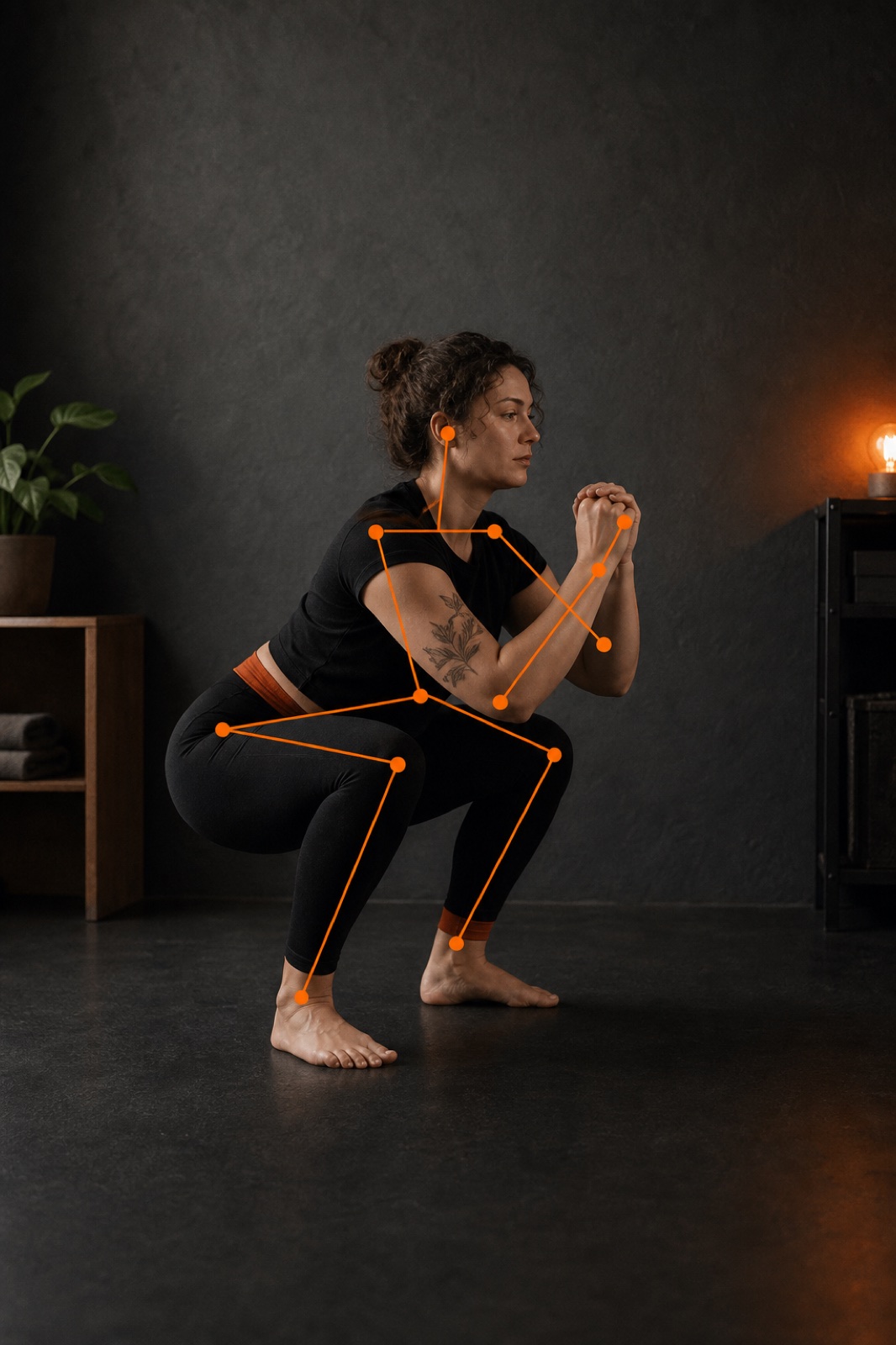 On-device pose processing
 No video saved or uploaded.
Early Feedback
Real feedback from early testers who replaced streak anxiety and complicated apps with simple, private movement.
"Most camera workout apps feel invasive or secretly stream video to cloud servers. MeshyFit does all pose processing locally on iPhone. No login, zero video saved. It is the cleanest workout tool on my phone."
"The weekly commitment instead of an unforgiving daily streak changed everything for me. 4 days a week is realistic and guilt-free. If life happens, I just make it up tomorrow."
"I used to dread 30-minute fitness videos. Starting with just 5 reps made showing up completely frictionless. The XP levels and badge unlocks give a great sense of progress."
"It does not count shallow dips or hurried bounces. It waits for genuine depth and a clean return to standing before scoring. Exactly the accountability I needed."
Core Experience
Everything you need to build lower-body strength and consistency — without the clutter of a bloated social network.
Real-time pose landmarks detect your hips, knees, and ankles at 30+ frames per second. Get live depth and pacing cues while camera frames never leave your iPhone's memory.
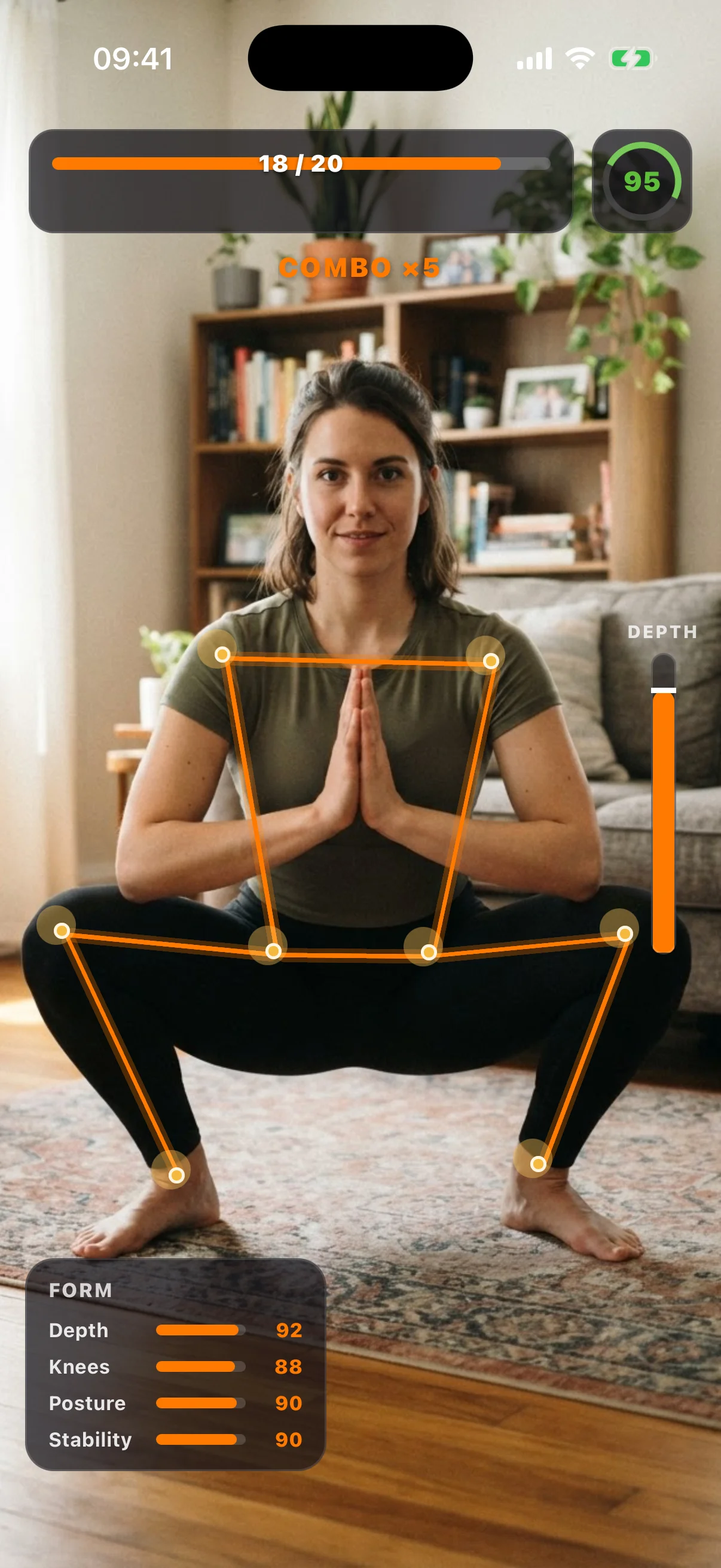
Choose 2 to 5 workout days each week. Missed a day? Your week stays alive. Long-term consistency beats fragile daily streaks.
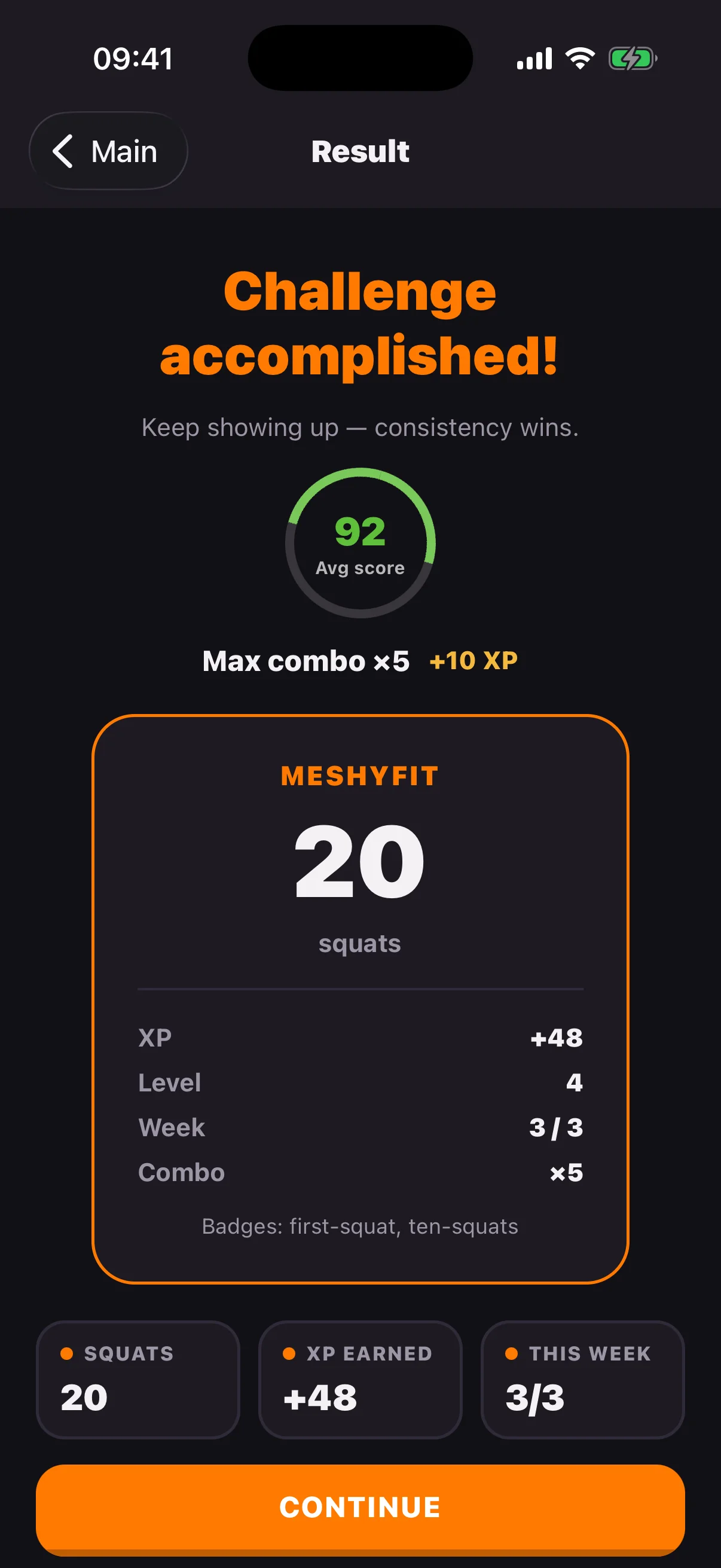
Gain XP with every completed set, build combos, and unlock milestones from your very first 5 reps to 30-day consistency trophies.
Review depth consistency, pacing cadence, and XP earnings immediately after your workout. Generate clean shareable result cards without personal data.
Habits & Free Tools
From your first 60-second session to a 30-day transformation, plus free ungated web tools to calculate calories and schedule workouts.
Takes under 60 seconds. Perfect for beginners or busy days to prove to yourself that showing up is easy.
+50 XP · Level 1Solidify knee tracking and hip mobility with guided pacing cues and real-time posture feedback.
+100 XP · Level 2Effortless lower-body strength and joint longevity that powers your posture and energy all day long.
+200 XP · Level 3Estimate calories burned from bodyweight squats using scientifically backed MET values — calculated by your body weight, rep count, or workout duration.
Open Calorie Calculator →Generate a structured 30-day progressive squat schedule with built-in rest waves tailored for beginners to advanced daily movers.
Generate 30-Day Plan →Simple 3-Step Setup
Frame your full body from head to toe, choose 5, 10, or 20 reps, and step back hands-free.
Get a simple depth or control cue after each rep. The feedback is practical, instant, and never presented as medical advice.
Completed workouts add XP, combos, and progress toward a realistic commitment of two to five days each week.
Requires iOS 16 or later. The core workout does not require an account or internet connection.
Automatic rep counting
The iPhone camera acts as a motion sensor. MeshyFit follows a complete down-and-up movement and waits for a clear finish instead of turning every small dip into a rep.
Give the camera a clear view of your head, hips, knees, ankles, and feet in steady light.
The automatic rep counter establishes a standing position before following the movement down.
A squat lands after the down phase and a clear return to standing. If visibility drops, MeshyFit asks you to reposition instead of guessing.
Movement cues are practical and non-medical. Available feedback depends on the camera view and pose confidence.
One short session
No equipment circuit and no complicated program. Set up the camera, finish the squat challenge, and carry on with your day.

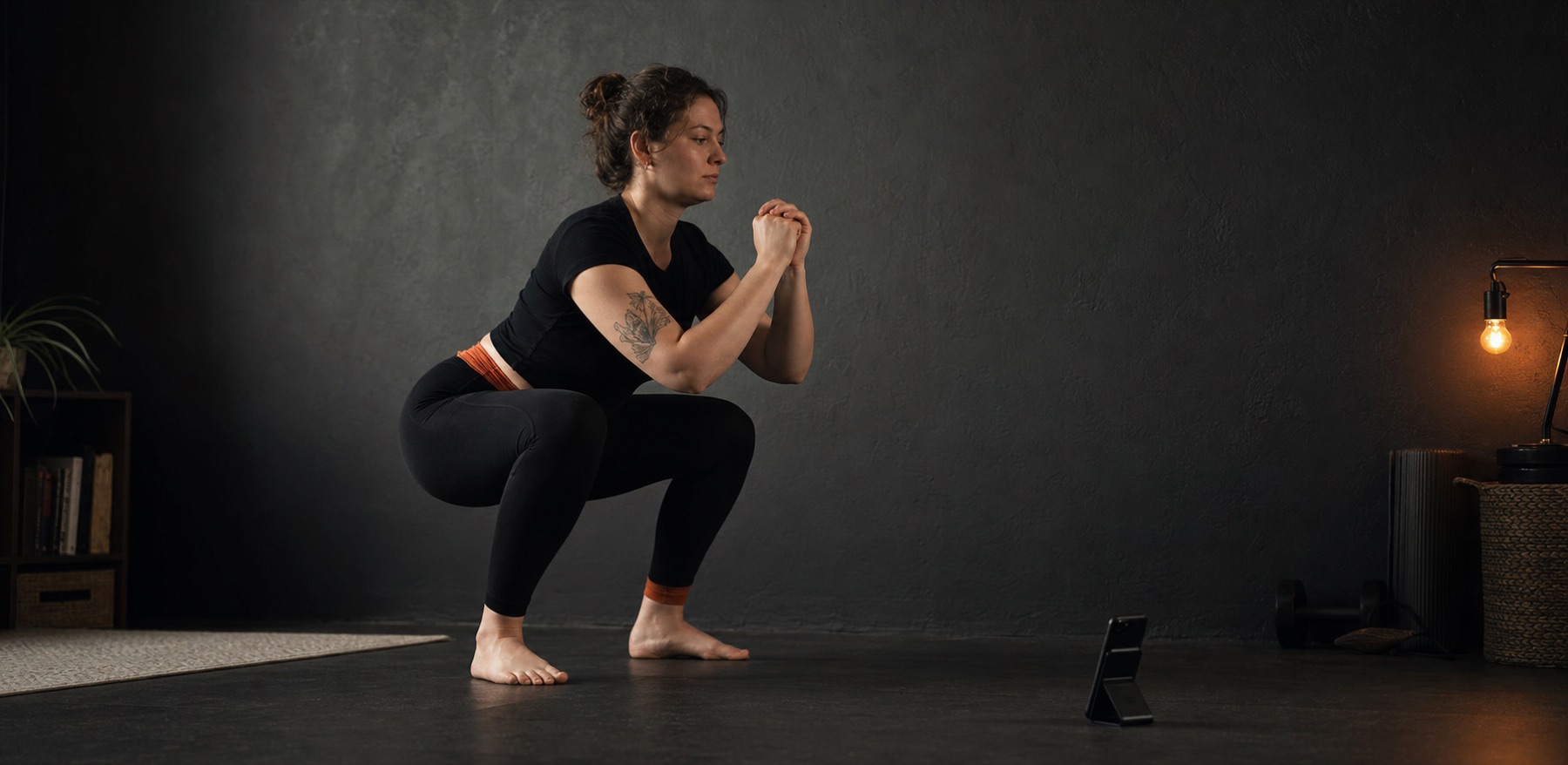

Most modern workout apps demand too much upfront: create an account, connect your contacts, join public leaderboards, pay before trying, or stream your camera to remote cloud servers.
We built MeshyFit because we wanted something simpler, quieter, and respectful of your privacy: a private on-device mirror on your iPhone that counts your squats accurately, gives you instant feedback, and lets you build strength on your own terms.
No social feeds. No uploaded camera frames. No streak guilt. Just you, your phone, and a 2-minute daily habit that adds up over a lifetime.
Private by design
The camera is used purely as a motion sensor, not a video recorder. Pose processing and squat counting happen strictly on your iPhone.
Read our full privacy policyFitness beginners, at-home bodyweight workouts, and people who want a short squat challenge they can repeat sustainably.
A medical tool, clinical posture assessment, or injury-prevention diagnostic system.
Frequently Asked Questions
Common questions about our on-device pose engine, privacy protections, and squat habit science.
Yes. MeshyFit uses your iPhone camera and on-device pose processing to count completed squat reps while you train completely hands-free.
Place the iPhone on a stable surface (such as a desk, shelf, or floor stand) and step back until your full body is visible from head to feet. Side and three-quarter views usually make setup easiest, while view-aware counting also supports front and back angles.
No. Camera frames, workout video, and frame-level body landmarks are never stored or uploaded. All computer vision inference happens purely in memory on your iPhone.
No account is required for core workouts. Your progress and workout history are stored locally on your device, so the squat tracker is 100% functional offline.
Yes. The core rep counter, 5/10/20-rep challenges, local workout history, and movement feedback are completely free with no paywall on essential features.
MeshyFit provides practical, non-medical movement feedback for measurable signals such as depth, pacing, and torso control. It is not a clinical posture assessment or injury-prevention medical device.
Behavioral science shows that reducing initial friction is the single most effective way to establish a lasting habit. 5 squats take less than a minute, removing mental resistance. Over weeks, this micro-habit builds knee stability and effortlessly scales to 20+ daily squats.
Rigid daily streaks create psychological pressure and guilt when life gets in the way. A weekly commitment (e.g., 3 to 5 workouts per week) allows you to rest when tired and make up a session later, fostering sustainable consistency over years.
The iPhone camera acts as a motion sensor. MeshyFit establishes a standing start, tracks the downward descent until the knees bend to adequate depth, and requires a full return to upright standing before scoring the rep.
Your first challenge is waiting
No account required. Available now on iPhone.
Download on the App Store